I am still debating color, but overall I have a good idea for how I will go about it. I definitely will be challenging myself in this one but am excited to see the end product.
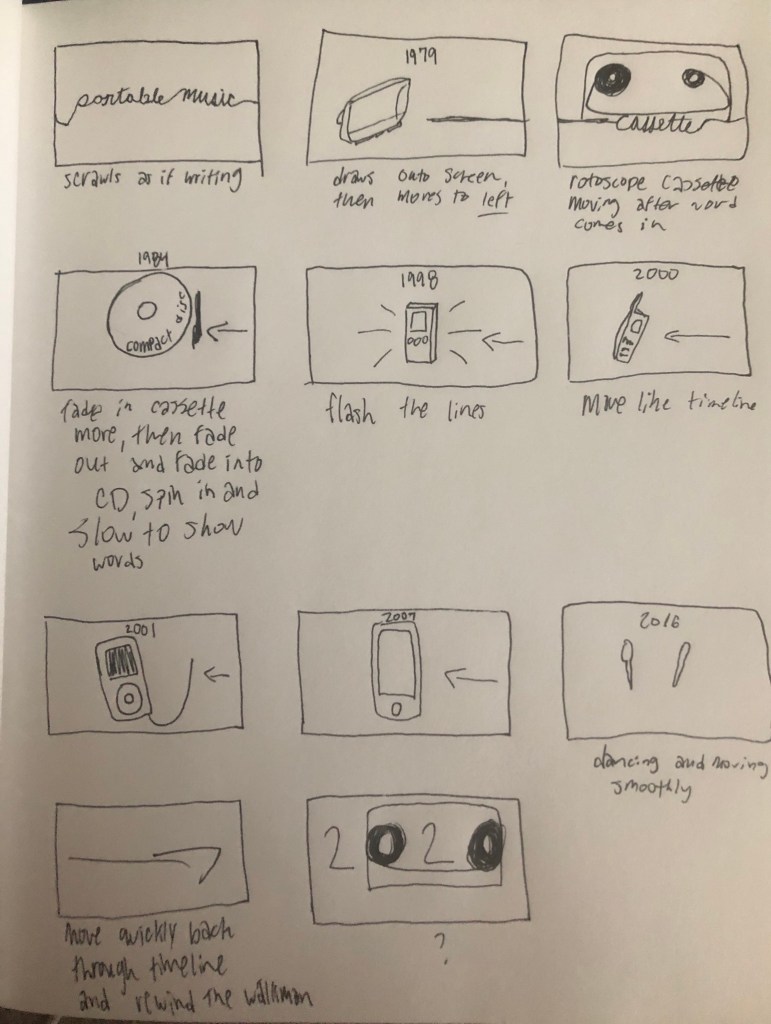
I am still debating color, but overall I have a good idea for how I will go about it. I definitely will be challenging myself in this one but am excited to see the end product.
Our first task was to create a button with a transistor that turned on and off when we pressed the button. I wanted to figure out the latching button but was unable to. I did not use any code, given that the motor was run off of the power of the computer and did not need code. The button opens the gate of the transistor, and this turns the motor on. If I had to think about latching, it would require code, likely changing the output when the button is pressed and keeping it there.
Secondly, we made a servo respond to a light sensor. This involved some research for figuring out code, but overall the most difficult part was map, and that ended up working fine once I understood it further. The Servo attaches to pin 9, and then there is a circuit using the light sensor that reads in to the servo and maps, and then writes the value (val) to the servo, converting from 0 to 1023 to 0 to 180.
#include <Servo.h>
Servo servo1;
void setup() {
servo1.attach(9);
}
void loop() {
int val = analogRead(A0);
val = map(val, 0, 1023, 0, 180);
servo1.write(val);
}My creative brief is above, and I am excited for this project. As fun as the last one was, I want to have a cleaner feel, and I am anticipating good things coming out of this.
I started with making the vinyl cases. I went into Photoshop and did a sketch, which I may improve upon. But I wanted to have a concept for what I was looking at. I decided to look into “tweening”, the in between animation technique used when moving from one moment to the next. I thought this might provide a good way of transitioning from the case on the side to the case from the front, and potentially even the information folding forward. I am still working on figuring out how to use the TweenJs library.
I am still working through the logistics of actually using the library. But I am sure I will be able to figure it out.
The flow of my website, ideally, would be a vinyl spinning in the beginning from the top, that is loading the page. The vinyl spins and goes away by getting smaller. Then the page shows the two cases. If clicked, the case rotates into the front view and you can flip through the information as if it was vinyl.
To make this happen, I will use the TweenJs Library. I would love to use TurnJs as well, or very worst case I will use http://bchanx.com/slidr.
Psuedocode:
HTML –
Import library in script tag
Have images on page with links
CSS –
Ideally have it respond to mobile
Look good, and consistent theme and colors
Javascript –
Have tween animation acting on both the vinyl cases/shelves
Have the loading vinyl animation work properly and start when the screen is loaded
My Minimum Viable Product (MVP) is to not have the vinyl loading screen, and just have one library used, and just have some information about each topic within the site of vinyl. The MVP will still be functional, just not as extreme as I was hoping for. I would probably end up using this one http://bchanx.com/slidr
My functional prototype is below. https://creative.colorado.edu/~debr2500/fwd/project1.html
I had a ton of fun with this and probably spent too long on it. The piece is 15 fps, and is from Kennyhoopla’s live performance of how will I rest in peace if im buried by a highway.
I ended up wanting to see if I could do a cartwheel. I then wanted to see his limbs fall off, and I found it hilarious. I absolutely love this project and the silly walk skit. I did want to experiment more, but put enough time into the project by making him cartwheel.
In project 1 for Front End Web Development, I will be focusing on the topic of vinyl records. The message will be mostly on how they are made, with some additional information about the general information. My inspiration of vinyl is shopping for vinyl, how fun it is and I enjoy having physical forms of music. I want to achieve a sort of flipping through vinyl animation effect, similar to how it appears when looking through them at a record store. If this is not possible, more of a flip page book or even a nice transition like a cube would be helpful to keep someone interested.
My first drawing is the landing page, and it would….ideally be two shelves of vinyl that you can select which you want to enter. Highest goal would make it be so it zooms into the shelf and onto a row of vinyl.
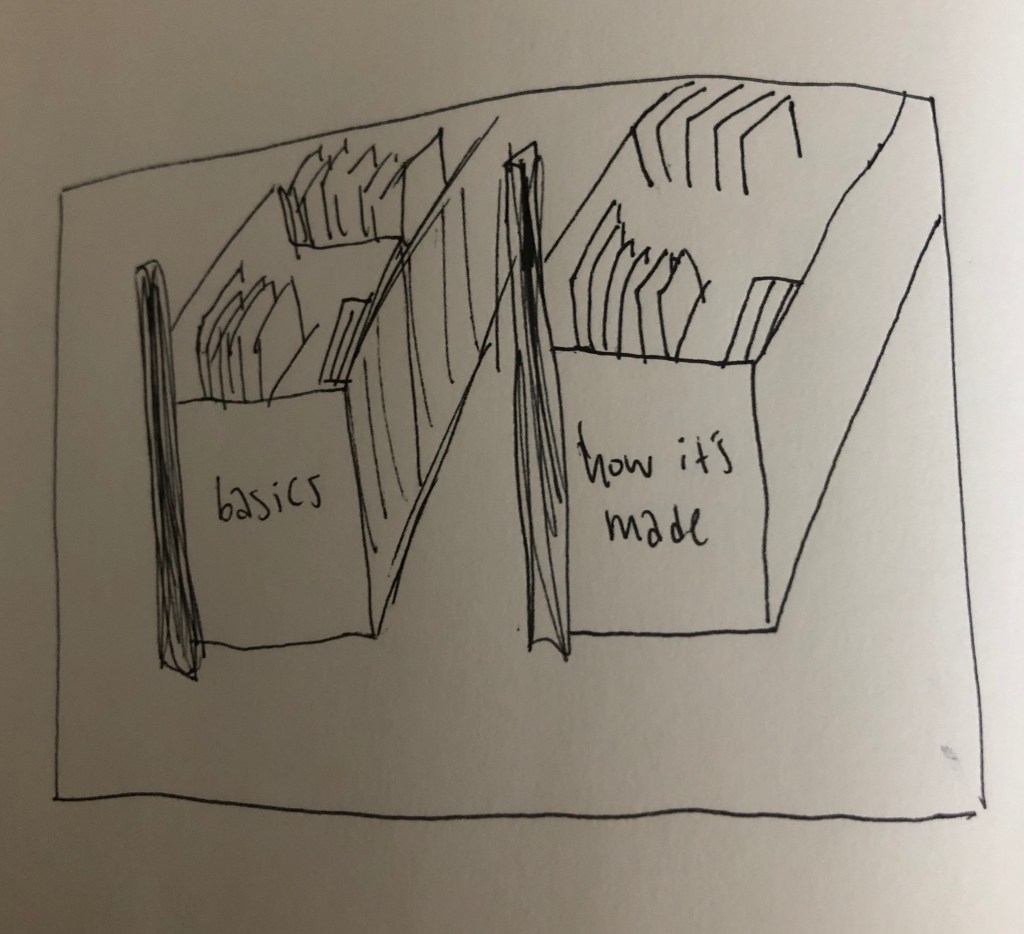
Next would be the information, I really like the idea of it flipping forward, but a flip book or cube would work as well.
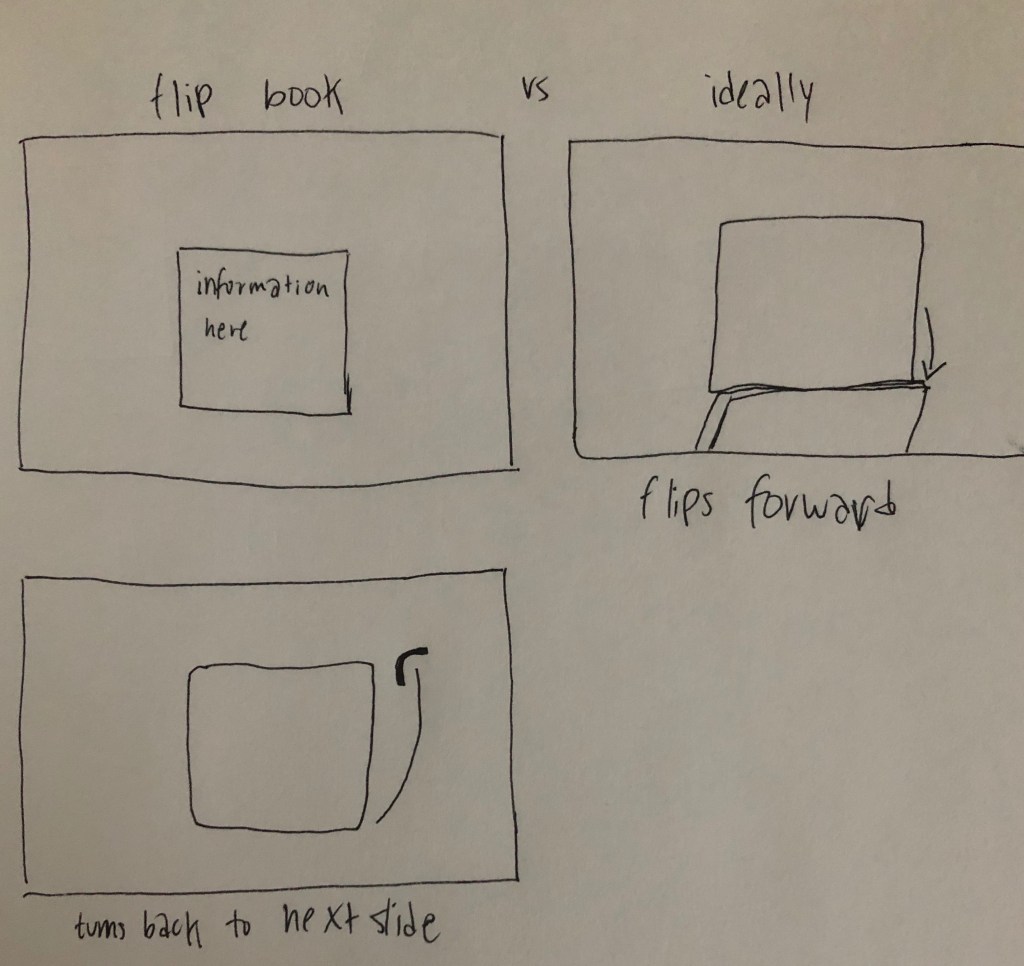
On mobile it would be the same, just the shelves would be smaller and the flip book would be moved by swiping.
As far as what libraries I am looking at, I really like the following:
I will need to research more in depth facts about vinyl and also the ways of going about animation. I think learning as much as I can about animation within a webpage will be useful, as well as making sure I understand how to use the libraries. I am looking forward to learning more and furthering what I know about HTML, CSS, and Javascript.
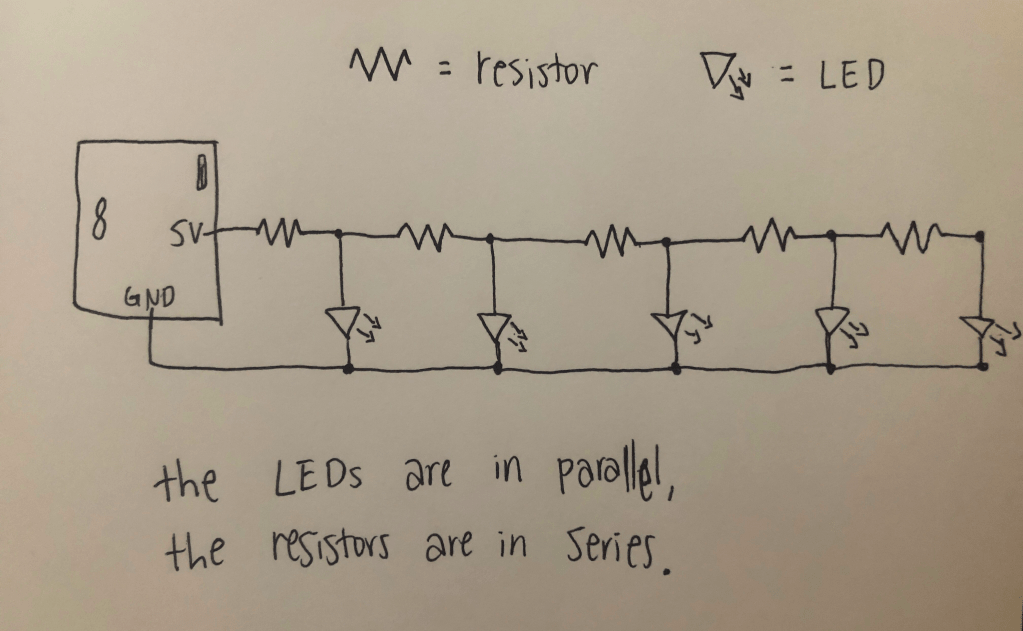
Part 1:
float value = 0.0;

void setup() {
  Serial.begin(9600);
}

void loop() {
  int analogValue = analogRead(A0);
  value = (analogValue * 5.0) / 1024.0;
  Serial.print("voltage = ");
  Serial.println(value);
  delay(100);
}
Part 2:
2+3 are below!
I started with my website from Web, as I, for the post part, like the design and layout. As much as I wanted to start from scratch and get as close as I could to what I had designed in Milestone 1, I had a more realistic idea of how much time I had and what my memory/skills of website design were.
So I definitely realized that there were problems with my old website. I started by making the footer stick to the bottom rather than just hover in between if on a larger screen. I disliked the way that the links would go from horizontal to vertical. I also wanted to keep the front page simple, and not have duplicate links just to have some content on the page. So I removed the links with images.
As far as roadblocks, I definitely was struggling to understand what my old code did, and I would make changes that would help it but not make sense, but it would make it look better. I think I need to revisit grid/flex box. Additionally, I wanted to do an animated sort of cog to rotate to show different projects/labs. I still want to make this happen, especially after the recent learnings on September 15 about animation. I also want to make the header/nav stay at the top, but get smaller. Maybe, one day I’ll learn about hamburger menus. I am thrilled to keep learning more and progress on my portal as I learn more.
In making my code I used a lot of sources, such as:
Next time I would definitely learn more about what flex boxes/grids are doing exactly, and I would start from scratch instead of using the existing website. I would ideally have a lot more time to be able to do everything I wanted to, including the gradual change of color when you scroll down, as well as shrinking of the header/nav when you scroll down. Finally, the mobile version exists, which is better than I’ve done in the past, but I want to make it look crisp and clean rather than a bit jumbled.
I would also want to do the cog turning and just add more to the overall design and theme. I want to make it reflect myself, rather than just be a more typical website.
But this is my website, and although it is not my best work I am happy with how far I came, especially in beginning to get towards understanding mobile, and how to make it look much better on mobile.
 Delaney Brummond